Stop Guessing Your Way Though Git
A pint-sized book you can sip over the weekend to finally understand Git without memorizing random commands you do not trust.
Master the Core Git Workflow
All you need to start using Git properly is to understand the core workflow that does 80% of the heavy lifting on a daily basis.
Most Git tutorials try to teach too many commands too soon.
They jump from commits into rebasing, stashing, cherry-picking, tags, hooks, workflows, and collaboration rules before you have enough time to understand what Git is actually tracking.
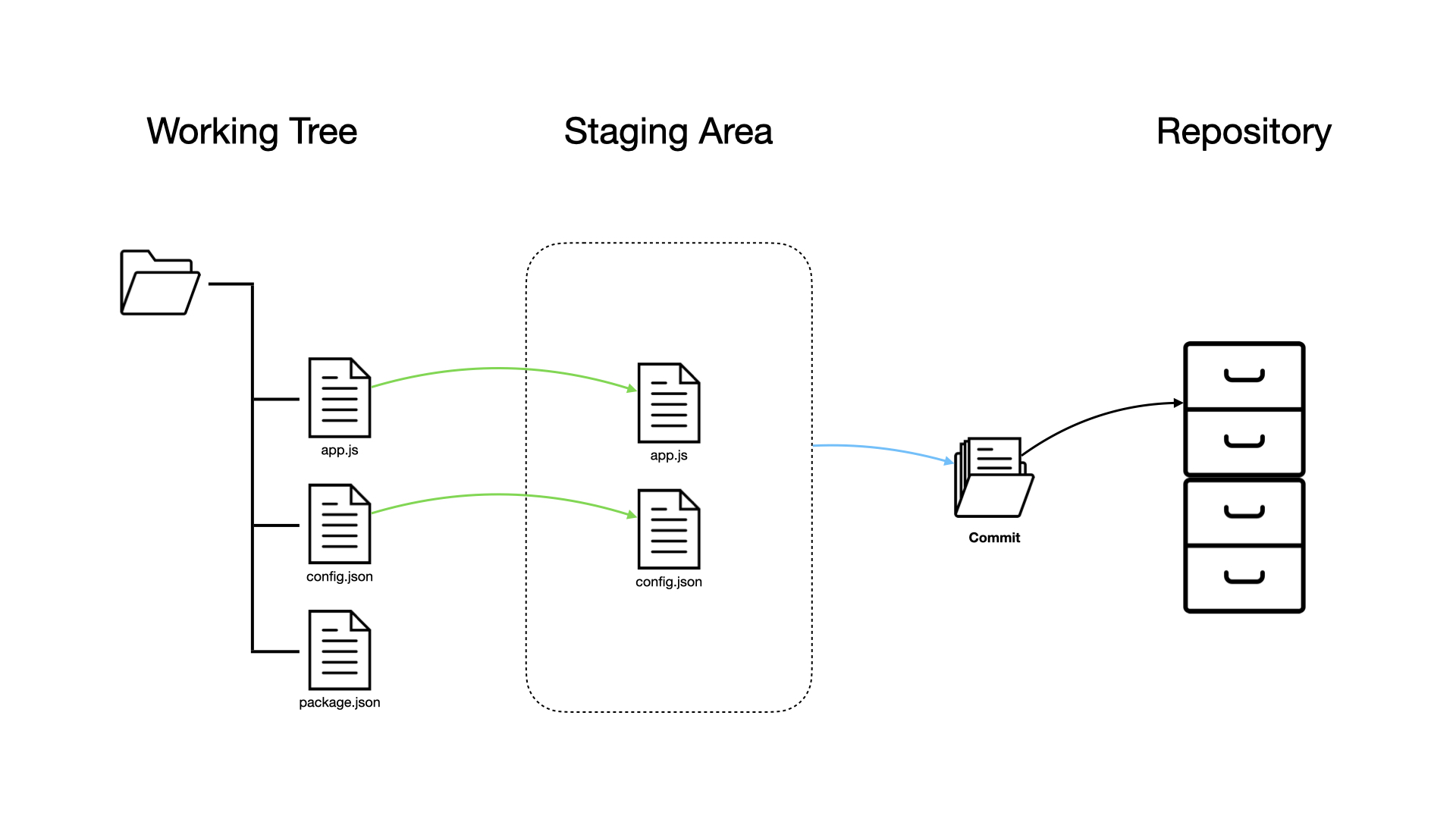
But to start using Git with confidence, you do not need every advanced command at once. You need a practical understanding of the change lifecycle: how files move from your working directory, to the staging area, to a commit, to a branch, to a remote repository.
That is exactly what The Git Weekend focuses on: the core Git workflow, taught through the commands developers actually use when working on real projects.
A Practical Git Brewing Guide
This book is designed to help you understand Git by following the lifecycle of code changes from your local machine to a shared GitHub repository.
Chapter by chapter, you will learn how Git tracks files, stages changes, creates commits, stores history, compares versions, restores mistakes, manages branches, temporarily stashes work, synchronizes with remote repositories, and supports code review through pull requests.
The goal is not to memorize every Git command.
The goal is to understand what happens when you run the commands you use every week.
By the end, you will have a clear mental model of Git and a practical reference you can come back to whenever your repository starts looking scary.
View the chapters
1. The Git Version Control System
You'll learn what version control is, why Git is used, how to install it, how to configure your identity, and how to access help from the command line.
2. The Git Workflow
You'll understand the working tree, the staging area, and the repository, then use git init, git status, git add, and git commit to save your first project changes.
3. Navigating & Comparing Commits
You'll inspect the commit history, review individual commits, and compare changes using git log, git show, and git diff.
4. Removing Uncommitted Files
You'll learn how to remove untracked files from the working tree and unstage files that should not be part of the next commit.
5. Restoring, Reverting & Resetting Changes
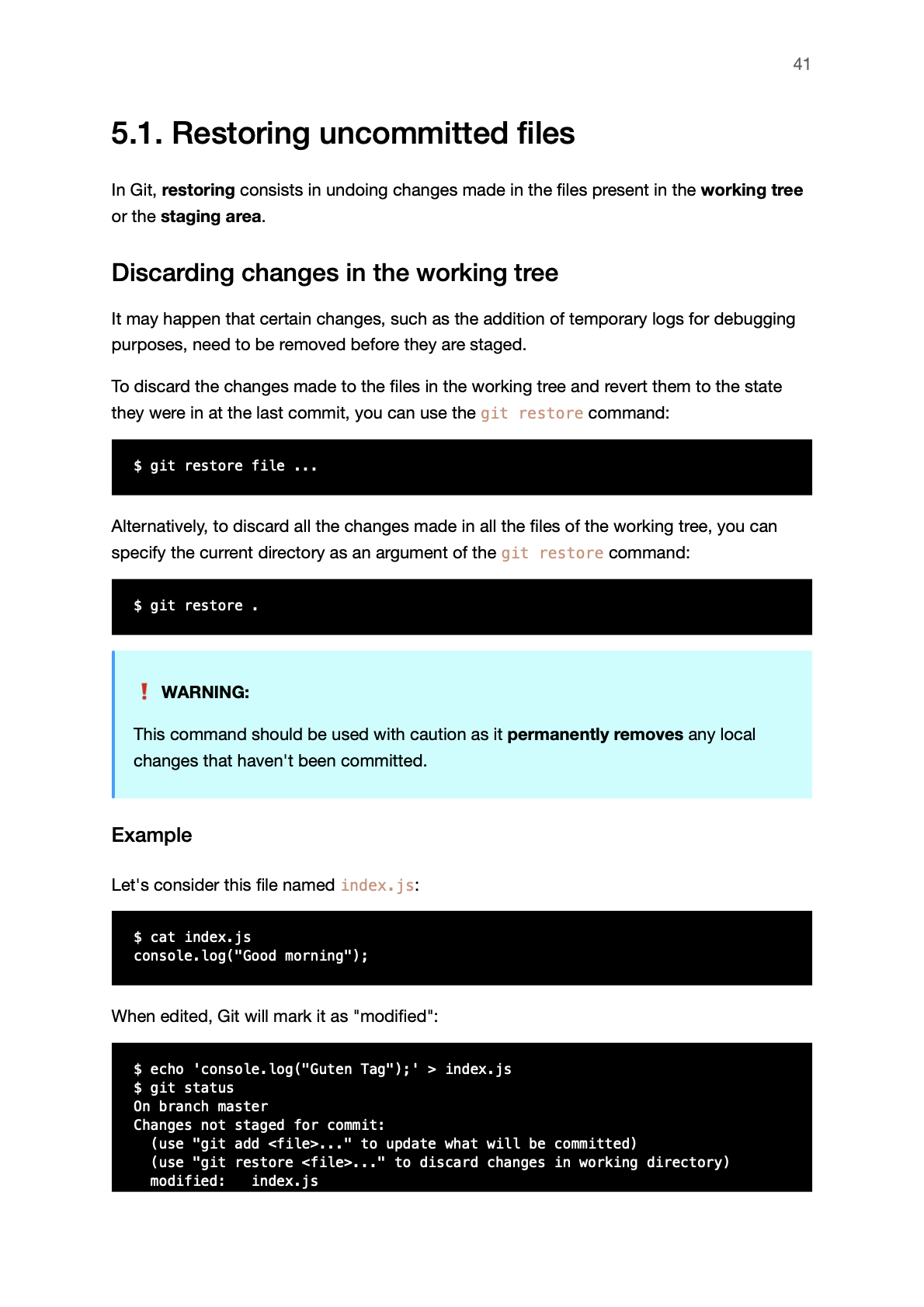
You'll learn how to discard local changes, create revert commits, and reset the commit history when you need to undo work.
6. Branching & Merging
You'll create branches, switch between them, merge changes back together, resolve merge conflicts, and delete branches when they are no longer needed.
7. Stashing Uncommitted Changes
You'll temporarily store unfinished changes, restore them later, remove stash entries, and create branches from stashed work.
8. Collaborating With Developers on GitHub
You'll create a GitHub repository, clone a remote repository, and connect a local repository to a remote one.
9. Pushing & Pulling Commits
You'll understand local branches, remote branches, upstream branches, pushing, pulling, fetching, and synchronizing commits with a remote repository.
10. Making and Reviewing Pull Requests in GitHub
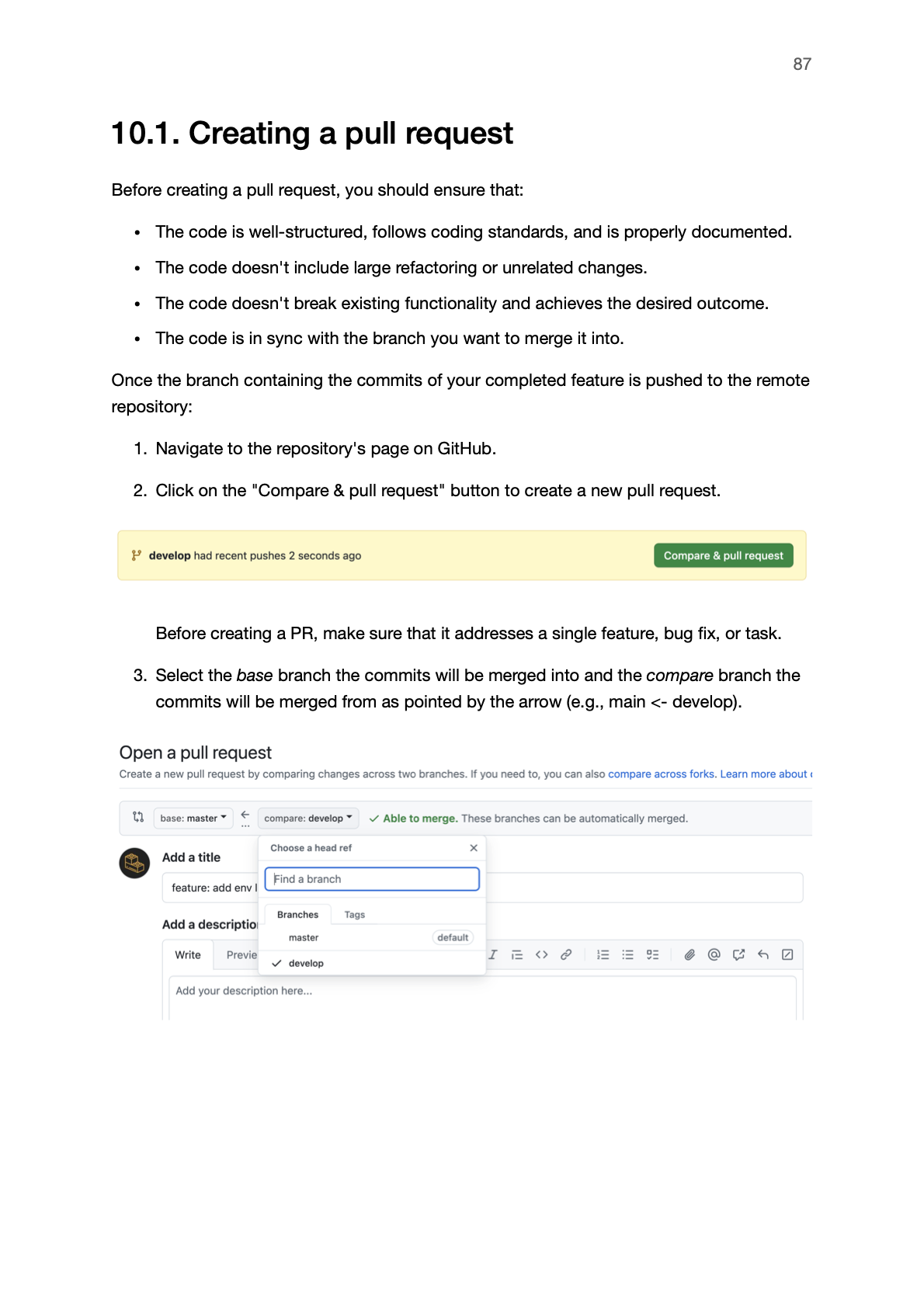
You'll create pull requests, review code changes, leave comments, request changes, approve work, and merge pull requests into the main branch.
11. The Gitflow Development Workflow
You'll learn how the main, develop, feature, release, and hotfix branches fit together inside the Gitflow workflow.
WHO THIS IS FOR
This is PERFECT for you if:
You use Git or know you need to, but still feel unsure about what happens when you stage, commit, branch, merge, push, pull, or open a pull request.
This is NOT for you if:
You are looking for advanced Git internals, complex rebasing workflows, monorepo strategies, or a complete DevOps course.
Get a FREE Chapter
Want a small taster before you buy?
Enter your email below and we'll pour Chapter 2 — The Git Workflow straight into your inbox.
What You'll Know by Monday
By Monday, you will know how to use the main Git ingredients that make everyday version control less confusing.
Working tree
Understand where your current project files live and how Git sees local changes before they are committed.
Staging area
Choose which changes should be included in the next commit instead of blindly committing everything at once.
Commits
Save meaningful snapshots of your project and write commit messages that make the history easier to understand.
History and diffs
Inspect previous commits, review individual changes, and compare different versions of your codebase.
Restore, revert, and reset
Undo mistakes with the right command instead of guessing which Git operation is safe to run.
Branches and merges
Create isolated lines of work, switch between them, merge changes, and resolve conflicts when Git needs your help.
Stash
Temporarily save unfinished work so you can switch context without losing your current changes.
GitHub collaboration
Push and pull commits, work with remote branches, and use pull requests to review and merge changes with other developers.

Hi, I'm Razvan 👋
I'm a senior Node.js developer with 15 years of professional experience building backend systems for all kinds of startups.
I love coding, but I hate using tools by memorizing commands I do not understand.
Git is one of those tools. Most developers use it every day, but many still treat it like a dangerous command-line machine that might destroy their work if they type the wrong thing.
I think Git becomes much easier once you stop learning commands in isolation and start understanding how changes move through the system.
From the working tree to the staging area, the repository, branches, remotes, and pull requests.
That's why I wrote The Git Weekend — a short practical guide for developers who want to use Git with confidence instead of panic-searching commands every time the repository gets messy.
FAQ
What will I be able to do after reading The Git Weekend?
You will be able to use Git with a clearer understanding of where your changes are, what state they are in, and how to move them safely through the workflow.
Will this help if I already use Git every day?
Yes. The book is useful if you already run Git commands but still feel unsure about what they actually do. The goal is to replace command memorization with a mental model you can use when the repository gets messy.
Will this help me stop being afraid of Git?
That is the point. You will still need to be careful with certain commands, but you should understand why they are risky and what they affect before running them.
Will I learn how to undo mistakes?
Yes. The book helps you understand how to deal with local changes, staged files, commits, branches, and history without guessing blindly.
Will this help me work with other developers?
Yes. You will understand how local work connects to remote repositories, how changes are shared, and how pull requests fit into a team workflow.
Is this only for beginners?
No. It starts from the basics, but it is also useful for developers who have used Git for a while without ever building a clean mental model of how it works.
Why not just search for commands when I need them?
Searching works when you already understand the situation. The Git Weekend helps you understand the situation first, so you know whether the command you found is actually the right one to run.
What should I know by Monday?
You should know how Git tracks changes, how commits build history, how branches isolate work, how merges bring changes together, and how remote repositories help developers share code. More importantly, you should know how to look at a repository and understand what is happening before acting.
I have more questions
Send me an email at support@backendbrewery.dev, I'll get back to you within 1-2 business days.
Stop Guessing Your Way Through Git
11 practical chapters
109 focused pages
PDF version
Real Git commands used in context
Practical GitHub collaboration workflow